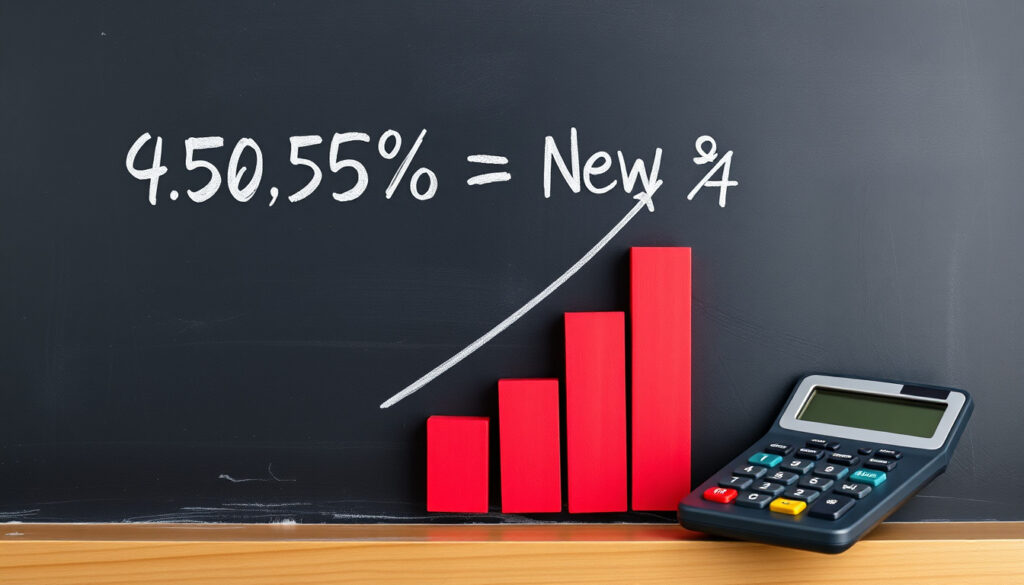
How to Calculate Percentage Increase: Simple Formula & Examples
Ever stared at a price tag, a pay rise letter, or a biology test result and wondered exactly how much that percentage jump really meant? That tiny fraction can hide a surprisingly big difference.
Percentage increase formula: (new value – original value) / original value × 100 ·
Example: 5% increase of $100: $105 ·
Example: 20% increase of 50: 60 ·
Multiplier for 2.5% increase: 1.025
Quick snapshot
- Percentage increase = (new – original) ÷ original × 100 (Wall Street Prep (finance education))
- Equivalent method: divide ending by beginning, subtract 1, multiply by 100 (Wall Street Prep (finance education))
- In Excel: common formula is =(new-old)/old (How-To Geek (tech education))
- Some calculators use absolute value of the denominator (Omni Calculator (math tool))
- Confusion between “increase by a factor of 200%” vs “200% increase” remains common (Omni Calculator (math tool))
- No temporal changes — formula is timeless mathematical truth
- Practice with real-world scenarios: salary, shopping, biology, or Excel modeling
A single percentage point can mean thousands of dollars in a salary negotiation or an entire grade boundary in a test. Knowing how to verify the number yourself — instead of trusting the sticker — puts you in control of every decision that involves growth.
What is the formula for percentage increase?
Step 1: Find the increase
- The difference is always the new value minus the original value.
- This works whether you’re tracking a stock price, a population, or a test score. For example, if a salary goes from $50,000 to $52,000, the increase is $2,000.
Step 2: Divide by the original number
- Take the difference and divide it by the original number. This is the fractional change.
- The original number is the baseline — it’s what you started with before the increase happened.
- As explained by Wall Street Prep (finance education), using the original value as the denominator is essential; otherwise the result isn’t a true percentage increase.
Step 3: Multiply by 100
- Convert the decimal into a percentage by multiplying by 100.
- So 0.04 becomes 4%, 0.25 becomes 25%.
- The standard formula — (new – original) ÷ original × 100 — is taught consistently across sources including freeCodeCamp (coding and math education) and Wall Street Prep (finance education).
The formula’s simplicity is also its most common pitfall. Reverse the subtraction (original minus new) and you get a negative percentage that looks like a decrease. That single sign error is the source of most real-world percentage mistakes.
How do I calculate a 20% increase?
Using the multiplier method
- A 20% increase means the new value is 120% of the original. Multiply the original by 1.20 to find the result.
- This avoids the two-step formula when you already know the percentage you want to add.
- Wall Street Prep (finance education) notes that this multiplier method is mathematically equivalent to the standard percentage increase formula.
Example: 20% increase of 50
- 50 × 1.20 = 60.
- Check with the formula: increase = 60 – 50 = 10. 10 ÷ 50 = 0.20. 0.20 × 100 = 20%.
- Both methods return the same result, confirming accuracy.
Check with the formula
- Using the original formula: (60 – 50) ÷ 50 × 100 = 20%.
- This double-check is the strongest way to avoid calculation errors, especially in high-stakes contexts like salary negotiations or budget planning.
The implication: Multiplying by 1.20 is quicker for known percentages, but the full formula is safer when you’re comparing two raw numbers — like a before-and-after measurement — where the percentage isn’t already given.
What is a 5% increase of $100?
Calculate the increase amount
- 5% of $100 = 100 × 0.05 = $5.
- This is the dollar value of the increase itself.
Add to original
- New total = $100 + $5 = $105.
- Alternatively, use the multiplier: $100 × 1.05 = $105.
Verify using formula
- (105 – 100) ÷ 100 × 100 = 5 ÷ 100 × 100 = 5%.
- This round number is the most common introductory example for a reason — it’s clean, predictable, and teaches the relationship between decimal multiplication and percentage increase.
The pattern: Even a small percentage like 5% produces a real dollar difference. On larger numbers, that gap grows fast — a 5% increase on a $350,000 house is $17,500.
A 5% increase is *not* the same as adding 5 percentage points. A rate that moves from 5% to 10% is a 5 percentage-point change, but a 100% increase. Mixing the two is a common error that can turn a modest raise into a misunderstanding.
How do I calculate a 2.5% increase?
Using multiplier 1.025
- A 2.5% increase multiplies the original by 1.025.
- This is the smallest common percentage bump most people encounter — often in cost-of-living salary adjustments or minor price rises.
Example: 2.5% pay rise on $50,000
- $50,000 × 1.025 = $51,250.
- The increase itself is $1,250.
- freeCodeCamp (coding and math education) demonstrates that salary calculations follow the same formula as any other percentage increase — no special rules needed.
Frequently asked: What is a 2.5% pay rise worth?
- On a $50,000 salary, it’s $1,250 extra per year.
- On a $35,000 salary, it’s $875 per year.
- On a $80,000 salary, it’s $2,000 per year.
- The dollar value scales linearly, so knowing the multiplier lets you estimate any salary increase instantly.
The catch: A 2.5% raise barely keeps pace with typical inflation in many markets. What looks like a “rise” can actually be a real-terms pay cut if consumer prices are climbing faster.
How do I calculate the percentage change between two numbers?
When the new number is larger (increase)
- The formula stays the same: (new – original) ÷ original × 100 gives a positive percentage.
- Example: 120 vs 100 → (120 – 100) ÷ 100 × 100 = 20% increase.
- Wall Street Prep (finance education) notes that this method works for any two numbers in a before-and-after comparison.
When the new number is smaller (decrease)
- The result will be negative. That’s a percentage *decrease*, not an increase.
- Example: 80 vs 100 → (80 – 100) ÷ 100 × 100 = -20%.
- Many people mistakenly drop the negative sign. If the percentage is negative, the quantity dropped.
Real-world example: biology population growth
- A bacterial colony grows from 2,000 cells to 2,800 cells over 24 hours.
- Increase = 800 cells. 800 ÷ 2000 = 0.40. × 100 = 40% increase.
- GeeksforGeeks (STEM education) suggests this type of measurement is common in biology labs for tracking growth rates under different conditions.
Why this matters: Percentage change works *backwards* too. If you know a population grew by 40% and the original was 2,000, you can calculate the new value: 2,000 × 1.40 = 2,800. That reverse calculation is how scientists forecast future measurements from a growth rate.
Four common percentage increase scenarios, one consistent method: the same formula handles every case, from a tiny raise to a massive population spike.
| Scenario | Original | New | Increase | Percentage | Multiplier |
|---|---|---|---|---|---|
| 5% price increase | $100 | $105 | $5 | 5% | 1.05 |
| 20% quantity rise | 50 | 60 | 10 | 20% | 1.20 |
| 2.5% salary | $50,000 | $51,250 | $1,250 | 2.5% | 1.025 |
| Biology growth | 2,000 cells | 2,800 cells | 800 cells | 40% | 1.40 |
Every real-world percentage increase — salary, shopping, science — collapses into the same three-step formula. Memorize it once, and you can handle any scenario without a calculator. The only variable is which field’s numbers you plug in.
How to calculate percentage increase in Excel
The basic formula for Excel
- Type
=(new_value - old_value)/old_valueinto a cell. - For example, if the old value is in cell B3 and the new in C3, the formula is
=(C3-B3)/B3. - How-To Geek (tech education) demonstrates this as the standard Excel approach for month-over-month changes.
Formatting as percentage
- Excel will show a decimal by default. Format the cell as “Percentage” (Home > Number > %) to display it correctly.
- Omni Calculator (math tool) confirms that without percentage formatting, the number 0.05 displays instead of 5%.
Alternate method: multiply by 1.x
- To increase a value by a known percentage, multiply the original cell by (1 + percentage as decimal).
- For a 10% increase:
=A1*1.1. - YouTube tutorial (instructional video) shows this as an alternative to the subtraction formula for direct increases.
Month-over-month tracking
- Subtract the previous month’s value from the current month, divide by the previous month.
- This gives a rolling percentage increase that can be copied across cells for trend analysis.
The implication: Excel automates the arithmetic, but *you* still need to decide which numbers are the original and which are the new. Put them in the wrong cells and the spreadsheet happily computes a wrong but perfectly formatted answer.
“A 10% increase can be written as original value plus original value multiplied by 0.1 in Excel.” — YouTube tutorial (instructional video)
“Percent increase can be expressed in decimal form first and then converted to a percentage by multiplying by 100.” — Wall Street Prep (finance education)
“The difference used in percentage change can be positive or negative depending on whether the value increased or decreased.” — Wall Street Prep (finance education)
“A concise Excel tutorial states that subtracting the previous month from the current month and dividing by the previous month gives percentage increase between months.” —
More related posts
 A Real Pain where to watch: Stream on Disney+ & Prime
 Crisis on Infinite Earths Watch Order: Episode Guide
 Things to Do in Palm Springs: Top Activities, Best Times & Tips
 EltaMD Tinted Sunscreen Review: Worth It? Dupes & Comparison 2025
 Does Sterling Silver Tarnish – Causes, Prevention and Cleaning Guide
 Buc-ee’s Near Me: Map, New 2026 Locations & All 13 States
 When Not to Have Rotator Cuff Surgery: 5 Key Reasons to Avoid
 Milwaukee Bucks vs Miami Heat Match Player Stats: July 2026
